
Donations.com
A scalable donation platform designed to connect donors, nonprofits, and individuals through a seamless and transparent giving experience.
Role:
Lead Senior UI/UX Product Designer
End-to-End Product Design
Timeline:
3 months — Research, IA, Product Design, Design System
Scope:
• Multi user platform supporting donors, nonprofits, and individuals
• Smart donation matching based on user preferences
• Customizable recipient pages with branding, logos, and campaign content
• Campaign creation and donation management tools
• Analytics dashboards including performance and earnings tracking
• Responsive design across mobile and desktop
Impact:
+40% faster donation flow completion through simplified checkout and guided steps
-35% reduction in campaign setup friction with structured onboarding and templates
+30% increase in engagement through personalized donation matching
Improved trust through transparent donation and earnings tracking
Scalable platform supporting multiple user types and future growth


Why This Matters
Donating today can be fragmented and inconsistent across platforms. Donors often struggle to find causes that align with their interests, while organizations face challenges creating engaging, trustworthy campaigns and tracking performance.
Many platforms focus on collecting donations but lack personalization, transparency, and scalable tools for managing campaigns and donor relationships.
This project aimed to create a unified donation ecosystem that simplifies discovery, builds trust, and empowers both donors and recipients through a scalable, user-centered platform.
Designing a donation platform meant supporting multiple users with different needs, donors, nonprofits, and individuals, within a single cohesive experience.
Donors needed personalized discovery and trust, while organizations needed flexible campaign creation, branding, and performance tracking.
The challenge was creating a scalable platform that simplifies donations while supporting personalization, transparency, and growth.
The Challenge
The platform supports multiple user groups, including individual donors, corporate donors, charitable organizations, nonprofits, and individuals fundraising for personal needs, each with distinct goals and requirements.
User Group

To make giving more intuitive, transparent, and personalized, I anchored the platform around three core principles:
• Reduce friction in the donation journey
Simplify onboarding, discovery, and donation flows so users can move from intent to action quickly without overwhelming choices or complex steps.
• Personalize donation discovery and matching
Help donors find meaningful causes through smart recommendations based on interests, values, and giving preferences, reducing decision fatigue.
• Build trust through transparency and control
Provide clear donation tracking, organization insights, and flexible giving options to create confidence and encourage long-term engagement.
Design Strategy
Key Features
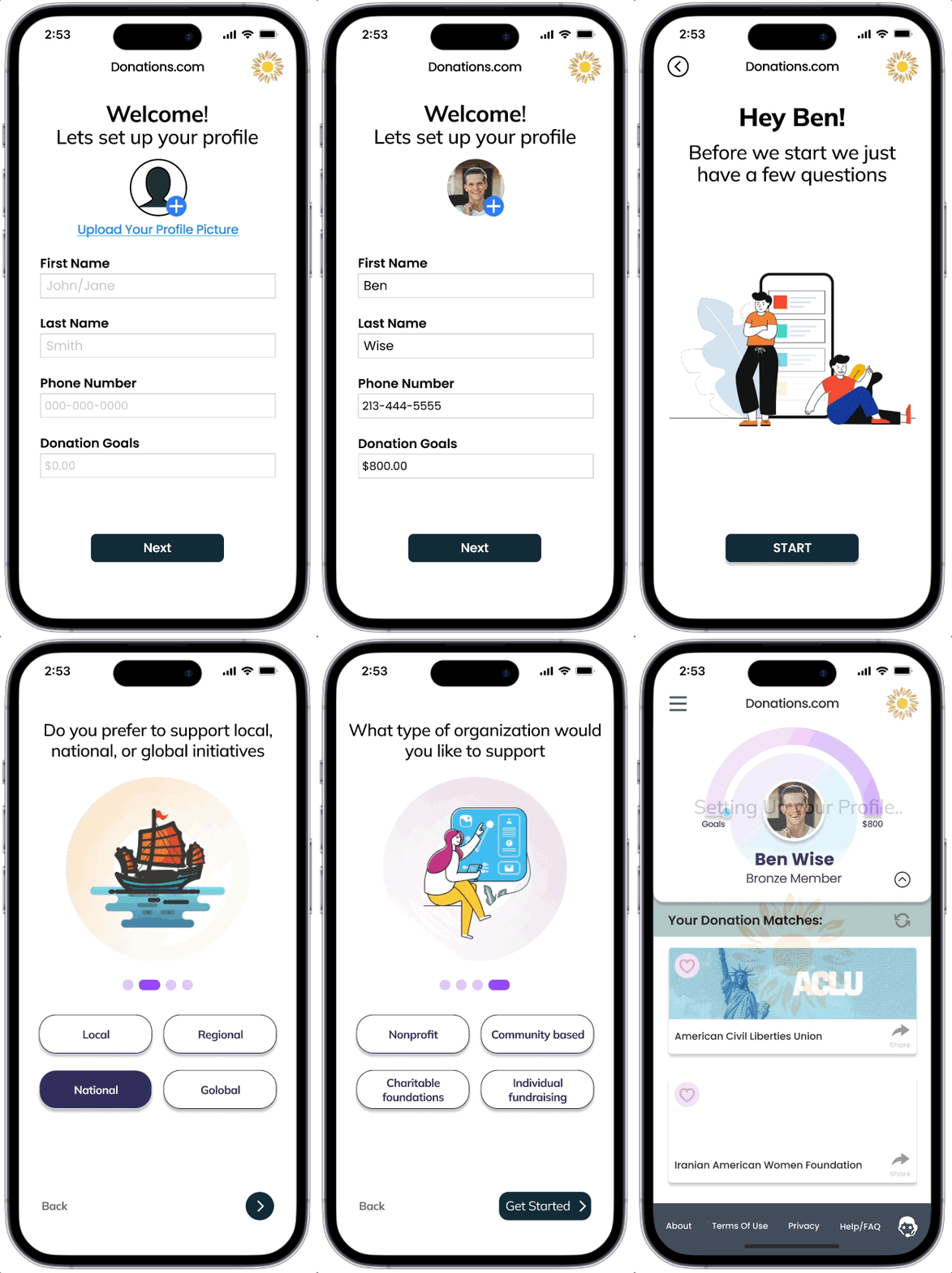
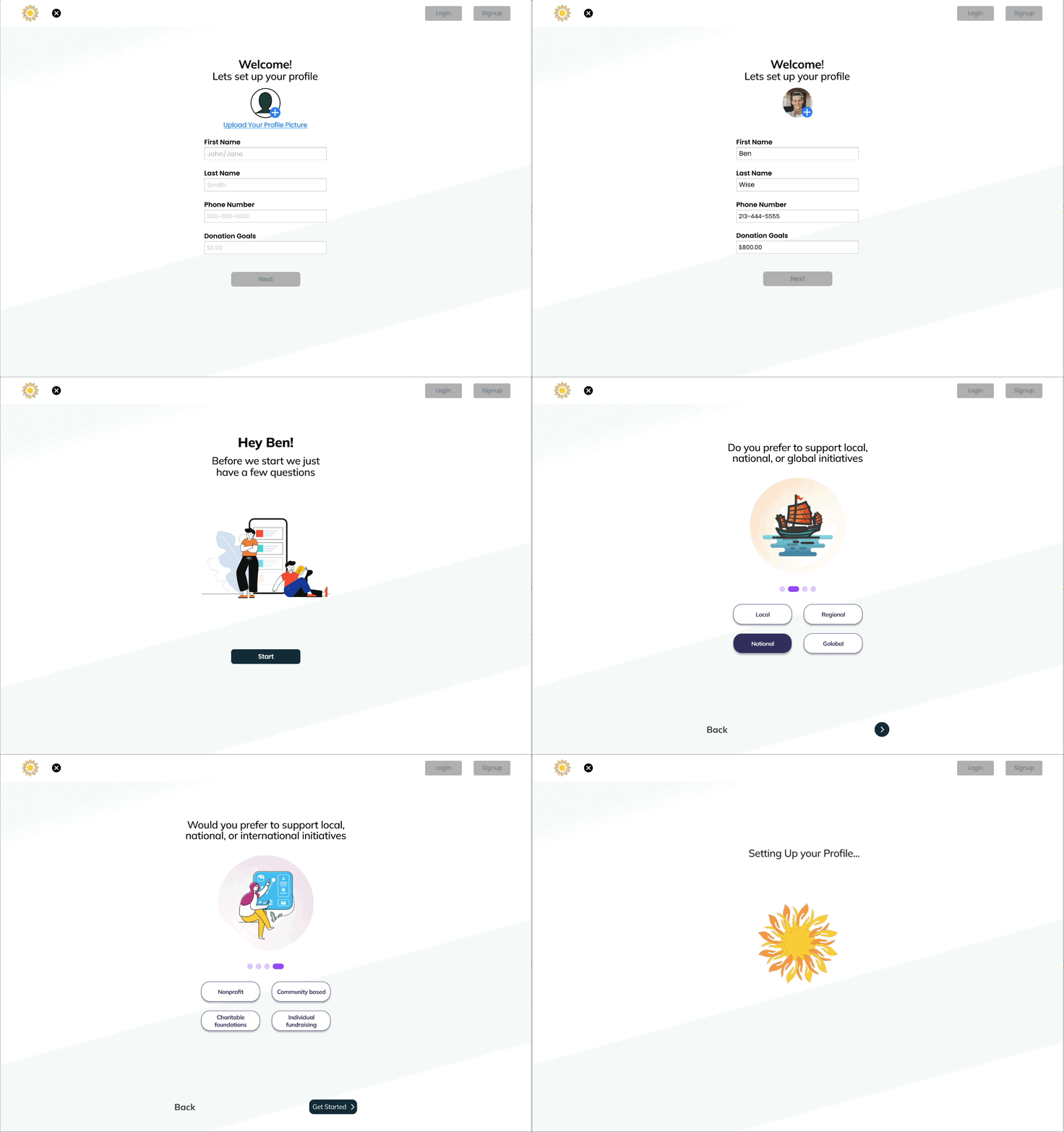
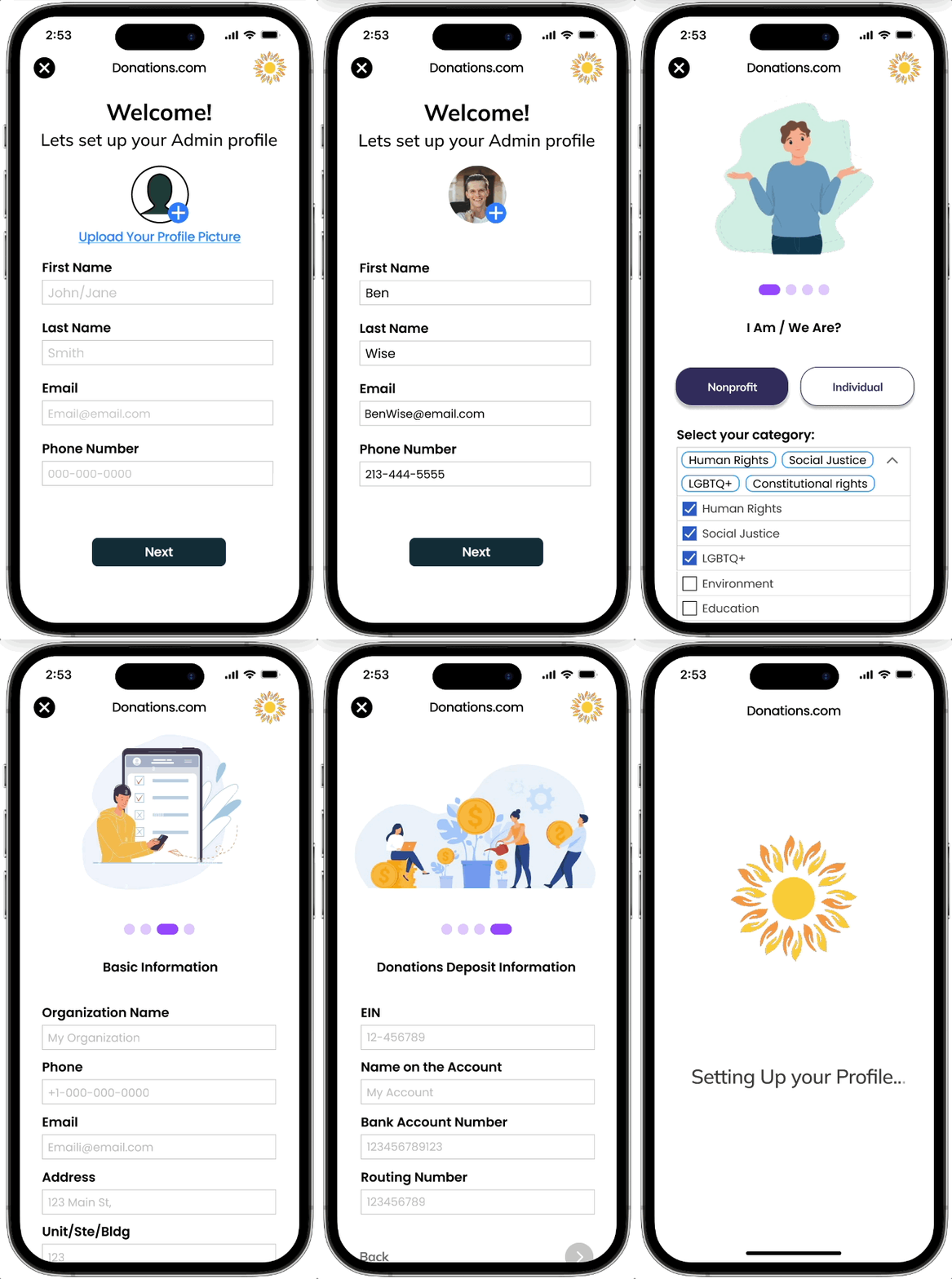
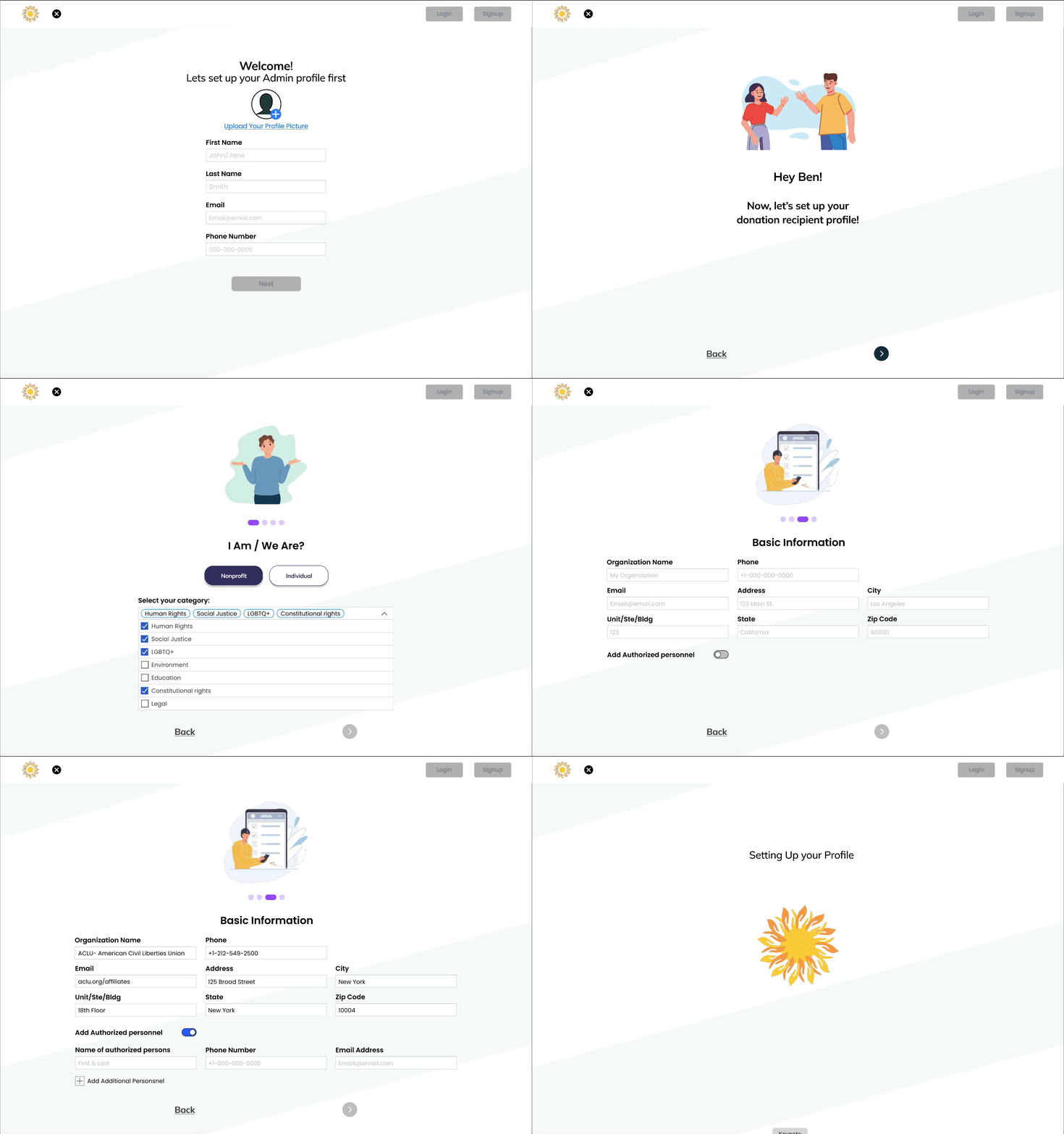
Smart Onboarding
A guided onboarding experience personalizes the platform for both donors and recipients.
Progressive steps tailor discovery, setup, and customization, reducing friction and helping users quickly move from signup to meaningful engagement.
Donor Questioner

Recipient Questioner

Platform Features
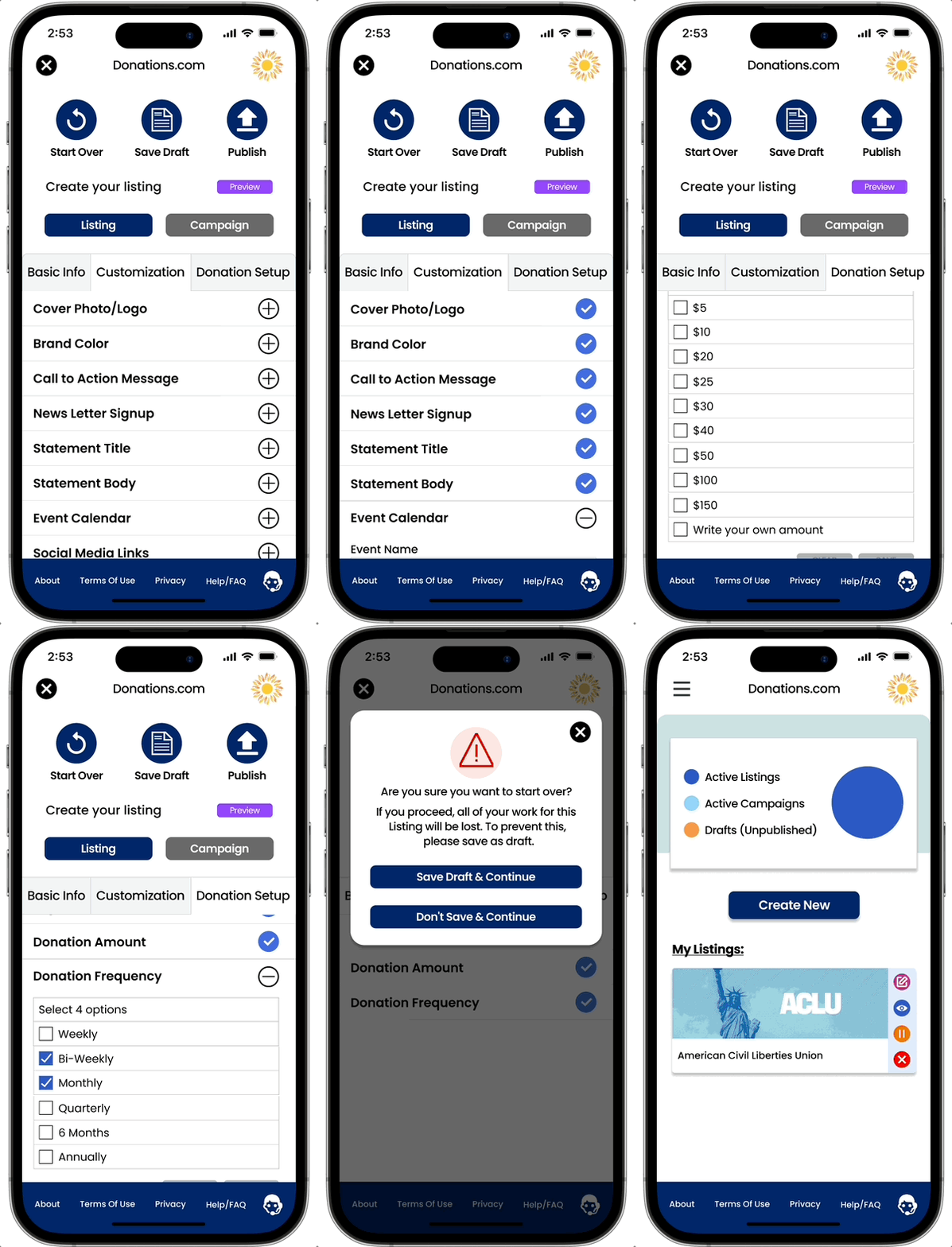
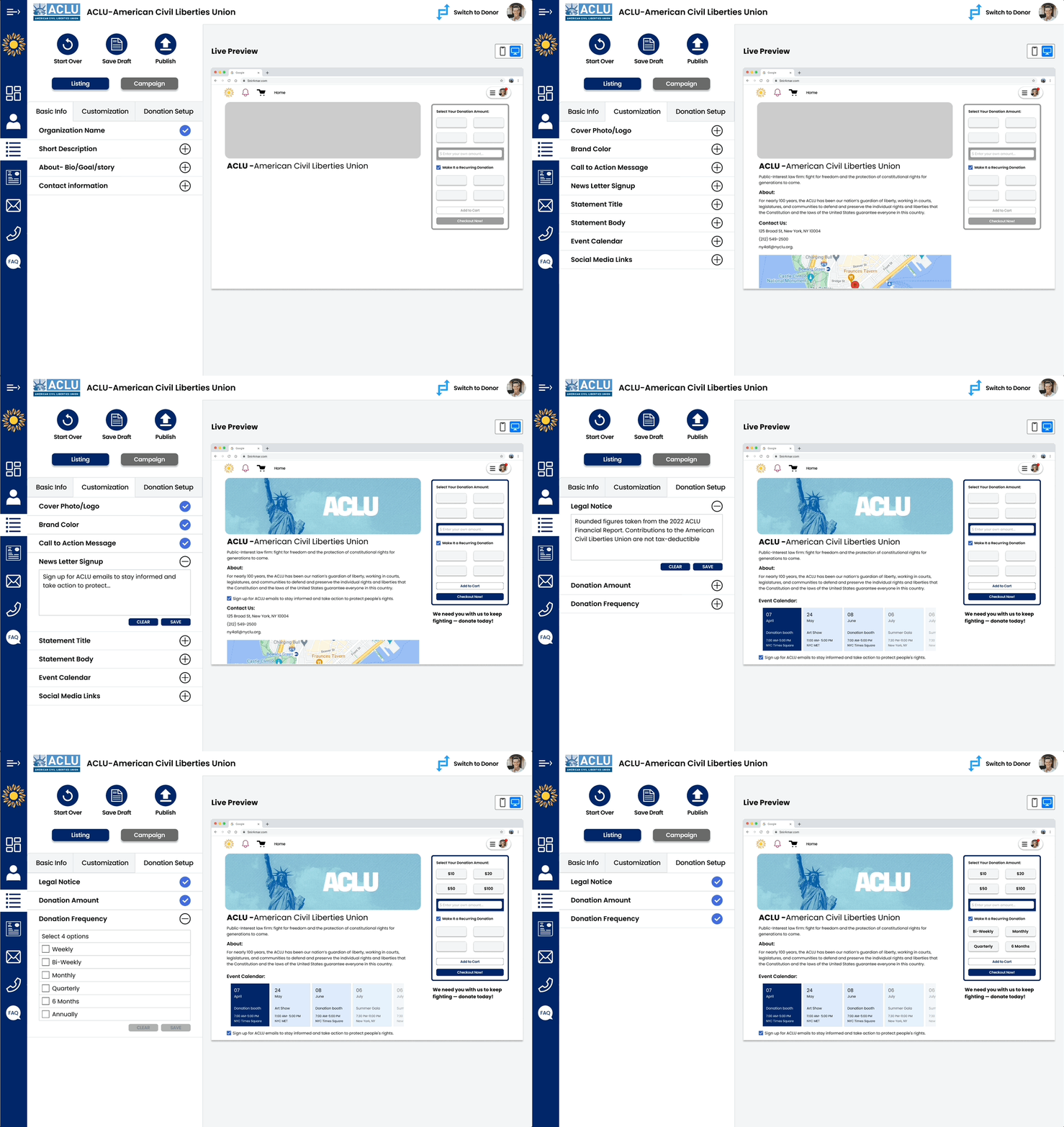
Live View Feature
The Live View feature allows organizations to preview their donation page in real time while building campaigns.
This reduces friction, increases confidence, and helps users create polished, professional donation experiences more efficiently.

Recipient Dashboard
The dashboard provides organizations with a centralized view of fundraising performance, donation activity, and campaign management.
Real-time insights, financial tracking, and geographic analytics help recipients understand impact and optimize fundraising strategies.


Research & Decision Making
Research Input
Artifacts used to guide interviews and validate insights.
Consent Form
Interview Protocol
Interview Summaries
Research Synthesis
Insights derived from user interviews and competitive analysis.
Competitive Analysis

User Journey Map
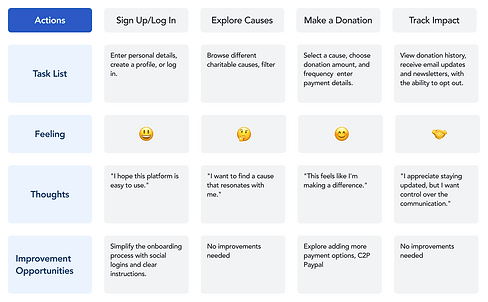
Affinity Diagram

Information Architecture

From Insight To Experience
Research translated into a user model and usage flow.
User Persona

Storyboard

The Creation journey
Low Fidelity
This stage represents the initial phase of the design and prototyping process. During this stage, the emphasis is placed on quickly sketching out ideas and concepts to explore the layout and flow of a design solution
Mid Fidelity
This next stage of prototyping serves as a critical transitional phase in the design process, bridging the gap between early, low-fidelity concepts and the final high-fidelity product. During this stage, you will find more refined ideas and transition from conceptualization to more concrete implementations
High Fidelity
High-fidelity prototyping represents the final and most polished stage in the design process, where the design concept evolves into a fully functional prototype that closely resembles the end product
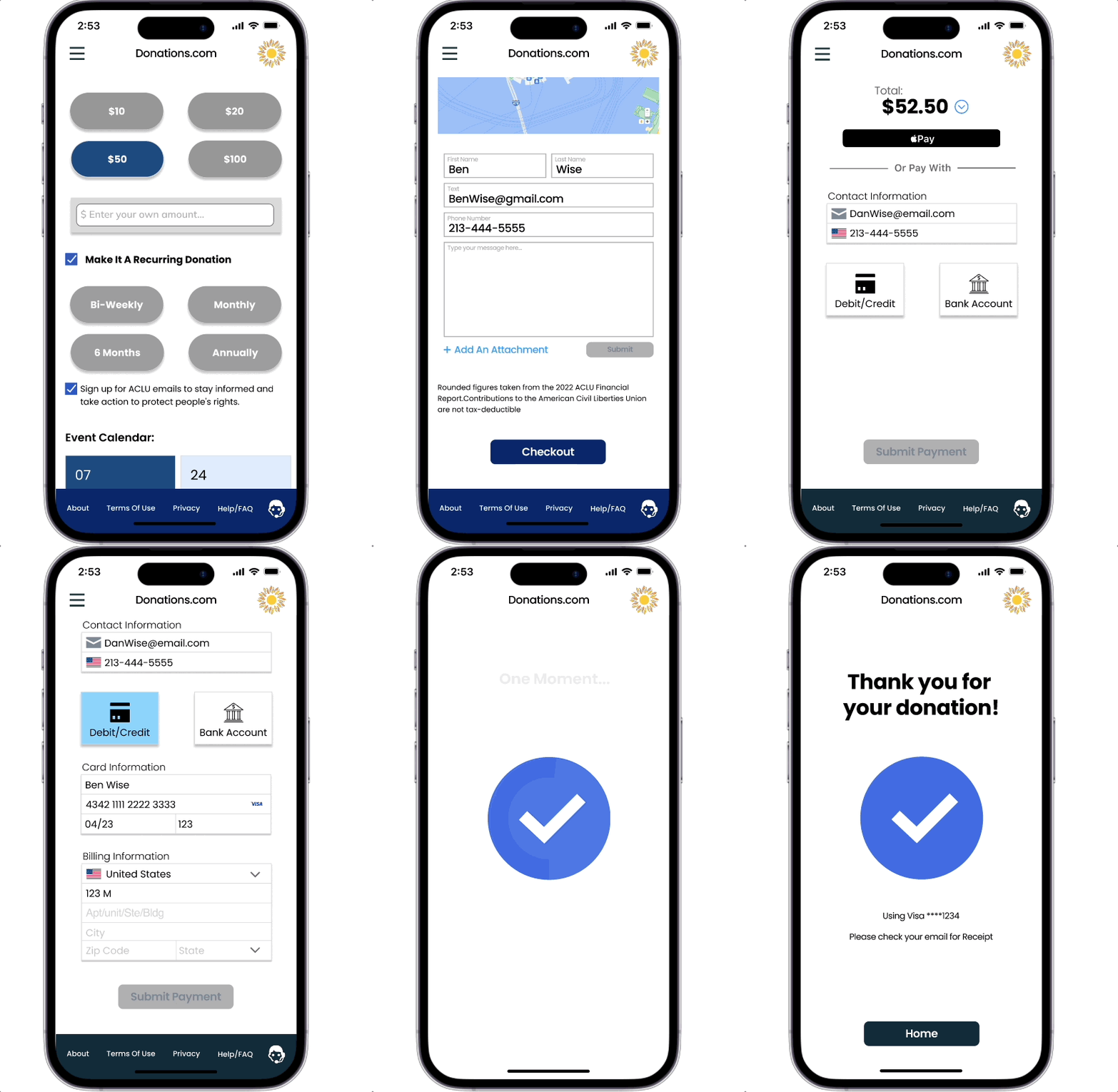
Sketches & LF Testing - focuses on usability flow
Tasks:
#1
Log in and by entering yourinformation
#2
When you arrived on the next page please answer the questions
#3
When arriving at the homepage please select the organization you would like to make a donation to.
#4
Please select the amount and frequency you would like to donate
#5
Please make and submit your payment information


Filtering Decisions
narrow down options or data based on specific criteria, making it easier and faster to find what they need while reducing frustration
User Requirements
Define essential user needs, expectations, requirements, specifying the environment, conditions, actions, behaviors a product must meet.
User Mental Model
Defines how users intuitively understand a system, often using real-life metaphors like icons to guide their interactions and expectations.
UI Affordances
Design cues to guide users on how to interact with elements without needing labels or instructions Sensory, Cognitive, Functional, and Visual Affordances
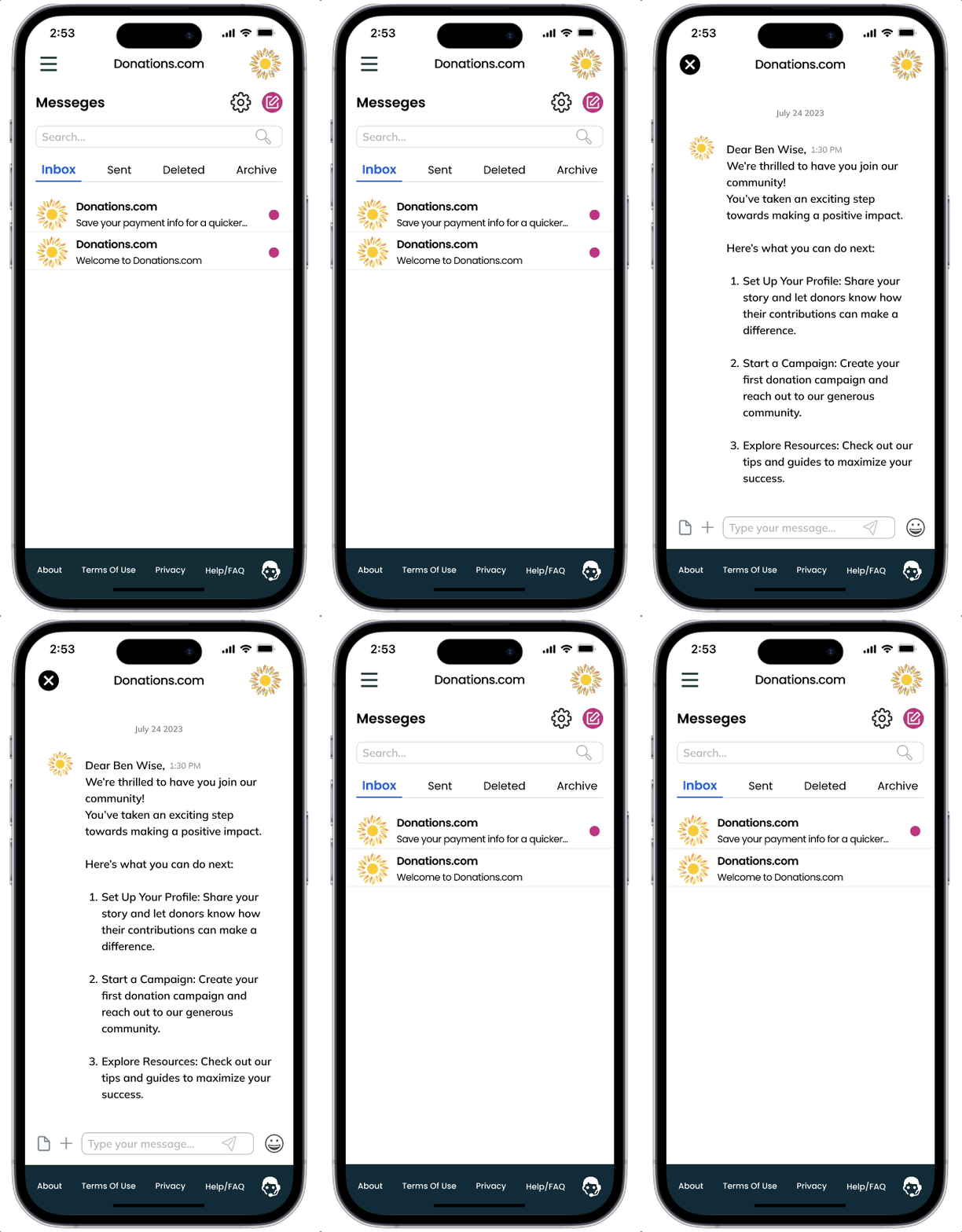


Wireframes & MidFi Testing - structure and user interaction

Interactive Figma
Prototype
Tasks:
#1
Log in and by entering your information
#2
When you arrived on the next page please answer the questions
#3
When arriving at the homepage please select the organization you would like to make a donation to.
#4
Please select the amount and frequency you would like to donate
#5
Please make and submit your payment information
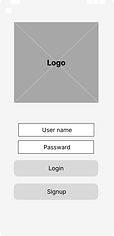


Hi-Fid Interactive Prototypes & Testing - Final Product
Desktop
Mobile
Design System

Design flow - New Donor Signup Questioner

Design flow - New Donor Recipient Signup Questioner

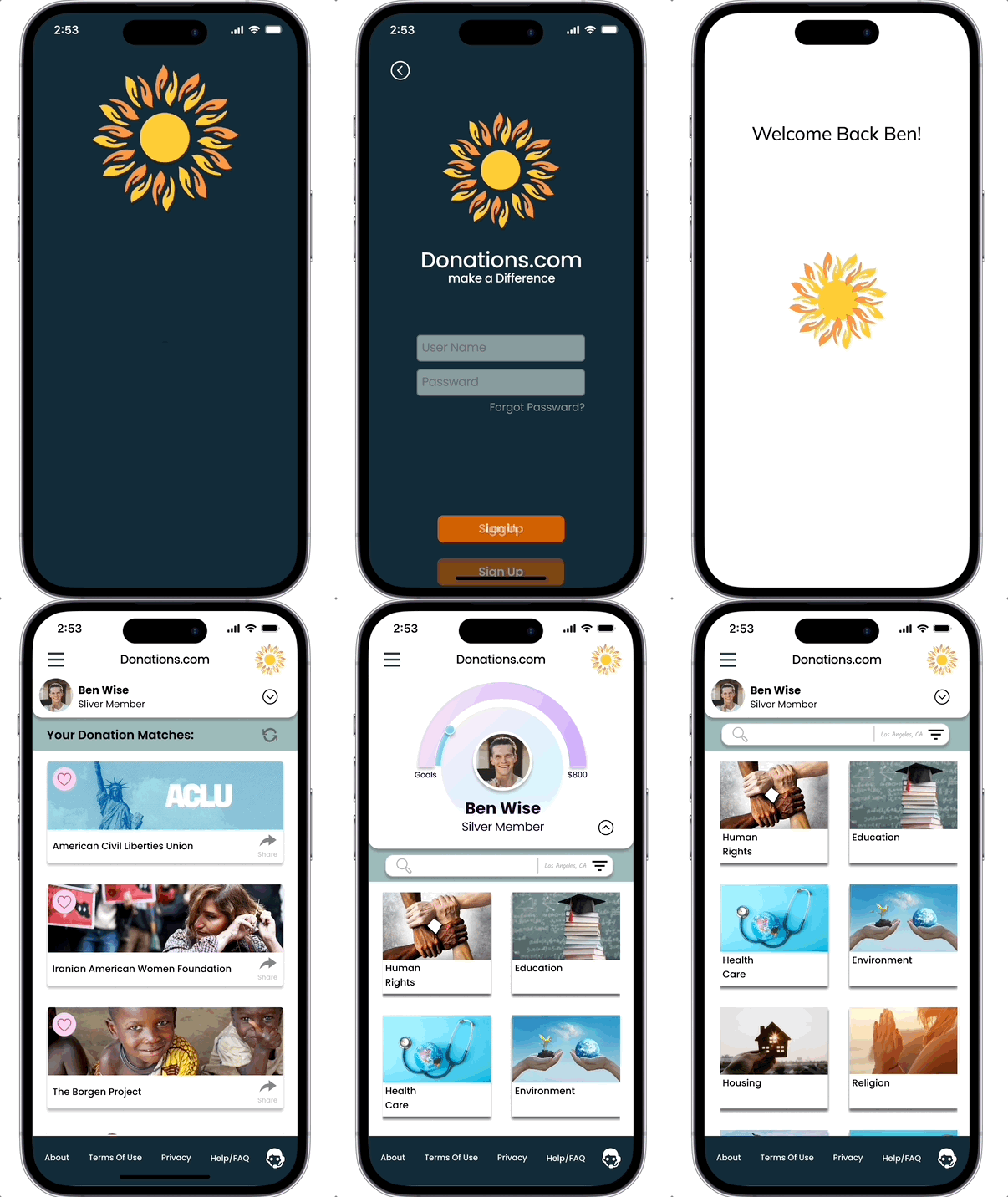
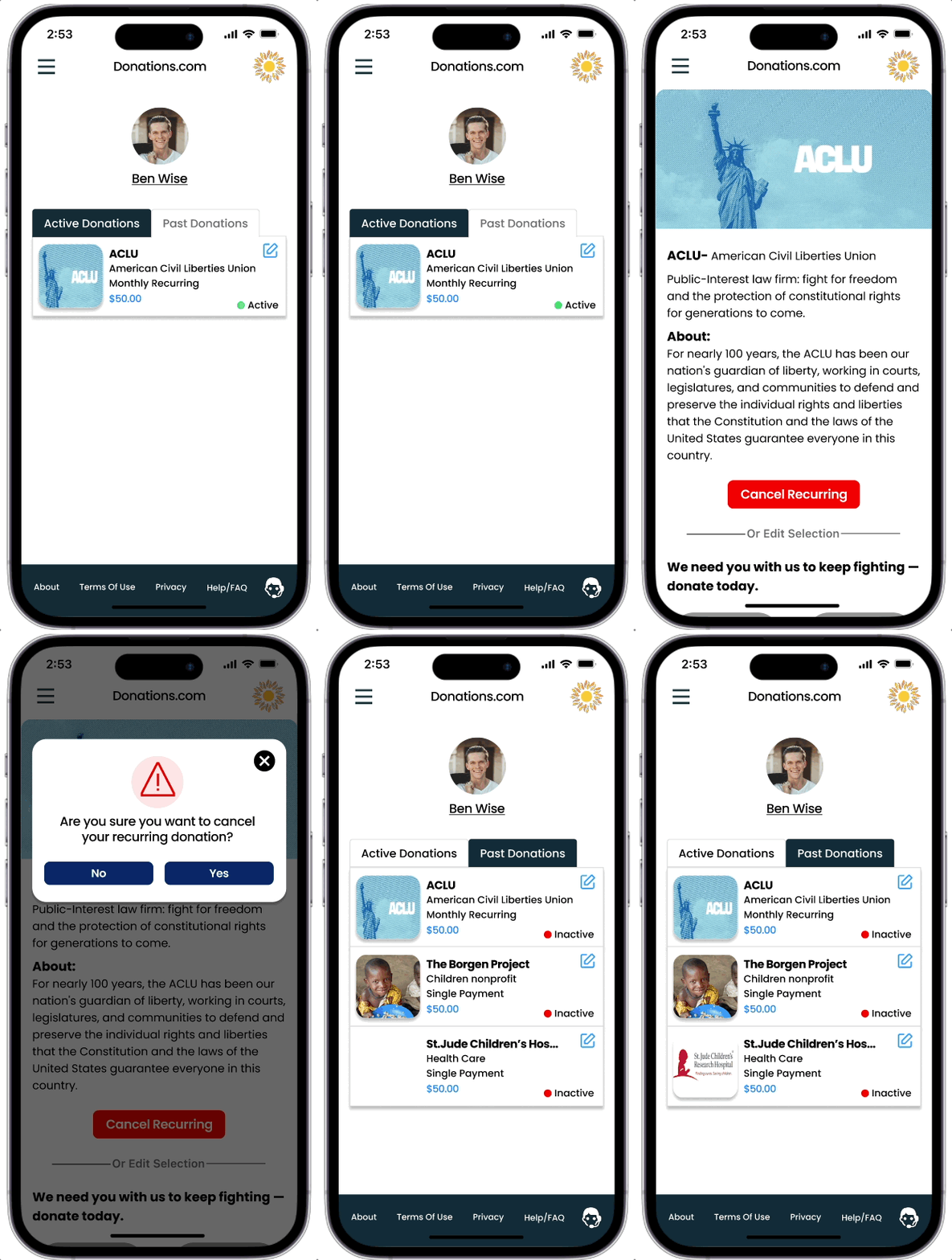
Design flow - Donor Pages

Design flow - Donation Recipient Pages

Design System Elements - Color System, Typography


